The post Be Aware of Cyber Threats That May Occur to Your Business appeared first on Webplanners.
]]>
Business owners in Australia are warned about cyber-attack dangers amid changes to Australian internet domains.
The Australian Government had announced a new policy for the.au domain name, which was to be implemented on 24th March 2022. The new policy protects consumers and businesses from malicious websites by preventing them from accessing legitimate sites.
Businesses are being warned to prepare for a significant change to Australian web domain names next month.

The new rule was introduced to allow anyone with an Australian connection to register the shorter .au domain for their website rather than the existing .com.au or .net.au.
Criminals may exploit shorter .au domains when they become available next month, as it will not be possible to access the longer.com.au or.net.au addresses.
The .au Domain Administration (.auDA) decided that Australian businesses with an existing domain name would only have until 20th September to reserve or register their equivalent .au domain name before it became available to the general public.
Cybercrime warning for businesses after the change to Australian web domains.
Cyber security experts have raised concerns over the potential impact of this move on the cybersecurity industry. They say that the new policy could put small businesses at risk of being targeted by hackers who use shortened URLs to mask their identity.
Bruce Billson, Australian Small Business and Family Enterprise ombudsman, said that the short deadline for the changeover could lead to a rise of cyber criminals taking advantage. He also added that many businesses could have their brand or identity impersonated.
In addition to the new policy, there are plans to introduce legislation to combat cybercrime. This would include creating a national data breach notification scheme and giving the Government more extraordinary powers to investigate breaches.
There are also fears that the Government’s decision to remove the.com.au and.net.au extensions could leave many small businesses without a way to reach customers.
In addition, some companies using the.com.au extension to market themselves online could lose out on traffic because of the change.
“I implore all small business owners to take a few minutes to work out if they want the shortened .au domain or will be unhappy for someone else to have it,” he said.
“If you want it, small business owners, I urge you to take a few minutes and a few dollars to register it or potentially face someone else grabbing it and using it to ambush your business digitally. They may demand big dollars later to surrender it to you, misuse it to masquerade as you or help them engage in cybercrime.”
He added that we are “not surprised that very few people know about it, as the public awareness campaign has been less than impactful. But, I want to ensure small businesses avoid a horrible surprise when they find someone else is using or misusing the shortened version of their key digital asset as their domain name”.
Mr Billson wrote to the auDA expressing his concerns and urging it to extend the 20th September deadline, but the regulator rejected his request. “So, all I can do is try and make sure small, and family businesses are not caught short when it comes to the shortened .au domain name,” he said.
“So far, more than 3 million domains with .au have been registered.”
“The consequences of not registering your existing business name by this deadline could be catastrophic for a business if a rival or someone else took their online name. Domain names are very much the identity of a business and critical to its success. Small businesses cannot afford to have their identity sold to someone else.”
Have you registered the shorter Domain name .au?
If not, then do so now! You can register your.au domain name at any time, but if you don’t, it will expire on 20th September 2022. Registering a short domain name gives you more flexibility when choosing a new website address or redirecting an existing one.
If you do not register a shorter .au domain name, then your competitors, spammers or even cyber attackers can take advantage of this situation and use your.au domain name.
Register your .au domain name today!
Suggested Read: Exact Match Domains: Does it hurt or help SEO?
The post Be Aware of Cyber Threats That May Occur to Your Business appeared first on Webplanners.
]]>The post WordPress Hacked? Here’s Exactly What You Need to Do appeared first on Webplanners.
]]>Unfortunately, WordPress is a popular target for hackers. This is because it is used by millions of people across the globe. WordPress powers more than 28% of all websites on the Internet. It uses the MySQL database to handle page content, so you must keep it updated.
There’s nothing more damaging to a site’s reputation than being hacked. Not only are you left feeling violated, but it also makes existing, and potential customers question whether your site can be trusted.
WordPress hacks are one of the fastest-growing issues online. As of today, WordPress has a 60.8% market share in the CMS market, and it continues to grow. An increasing number of WordPress users and businesses are facing a WordPress hack attack.
To avoid being a victim of a WordPress hack, every website owner should take the necessary precautions to secure their website from cyber-attacks and hackers. If your WordPress website has been hacked, take these steps to resolve the issue.
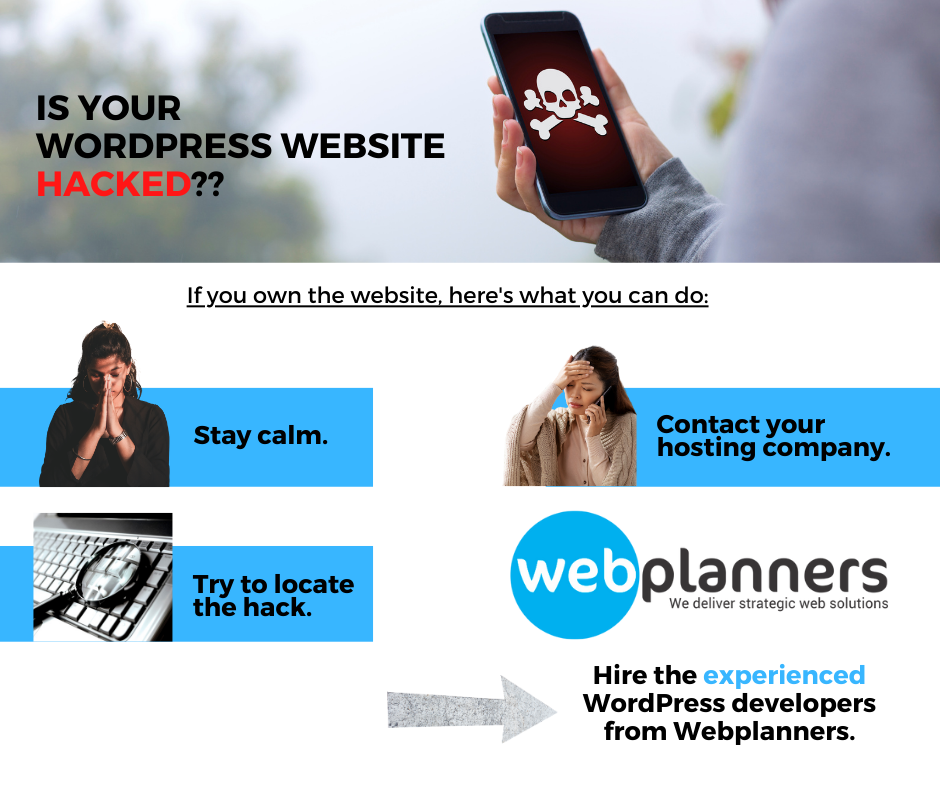
What should you do if your WordPress Website is hacked?
Scenario #1: If you are the website owner, follow the process
If you’ve been hit by a WordPress malware or hack attack, you need to act quickly to ensure that your site gets cleaned up. It can be a daunting task, but it doesn’t have to be. The key is taking the right steps in the correct order.
- Stay Calm: It’s easy to feel like the world has just come to an end when you find out that your website has been hacked. But, take a deep breath because there are things you can do to stop this from happening again.If your website has been hacked, you should not panic. It is possible to remove the bug and restore your website. Hackers always use the same method to inject malicious code into a site’s theme or plugins. They change something in the instructions that are stored in a site’s database; therefore, if you follow the proper steps and fix the vulnerabilities, it is possible to restore your website.
- Try to locate the hack (if possible): Go through this quick list of questions. Ask yourself:
– Are you able to log in to your WordPress Admin Panel (yourwebsite.com/wp-admin)?
– Is your website redirecting you to some other website?
– Does your WordPress website contain any illegal links?
– Has Google already marked your website as insecure? - Record your answers to each question, and make sure that you’ve noted everything for the next step below.
- Contact your hosting company: The hosting companies are very helpful in these situations. That’s why before doing anything yourself, get in touch with your hosting provider and follow their advice.
- Hire a Professional: If for some reason, your hosting company is unable to help you or resolve the issue, you have got the professionals who can do it. They have a team of experienced WordPress Developers who is efficient and capable enough to help you in this situation. A vulnerable website only worsens as time goes on, so the faster you can get your issues fixed, the safe your website will be.
It is most likely the best solution for you if you don’t consider yourself tech-savvy or you don’t want to mess anything up while you’re trying to clean your site. It’s easy to make things worse instead of better in these situations, so if you’re not comfortable making significant changes to your site’s back-end, it may be time to ask for support.
Contact Webplanners at (03) 9510 0717 or write us an email at info@webplanners.com.au, and we will be on the task to fix it as quickly as possible.
Still, if you think you can manage it yourself, keep on reading further, and you can learn something and have your hands-on experience over troubleshooting the hacked WordPress website.
Scenario #2: If you are a new WordPress Developer.
If you’re a developer with a fresh set of skills, then you’re probably excited to execute the projects you’ve got in the pipeline. However, you might run into a pretty big roadblock if you don’t know how to address and fix hacks to your website quickly. Instead of panicking, you need to start by taking into consideration several points.
Here is a step-by-step guide to clean up your hacked WordPress website.
- Backup the Site Files and Database, including wp-config.php
- Download and examine the backup files. The .zip file should contain the following folders:
- All the WordPress Core files: You can download WordPress from WordPress.org and check out the files in the download and match them to your own.
- The wp-config.php file. This is important as it contains the name, username, and password to your WordPress database, which we will use in the restore process.
- The wp-content folder. You should see at least three folders in the wp-content folder: themes, uploads, and plugins. Look in these folders, do you see your theme, plugins, and uploaded images? If so, then that’s a good sign you have a good backup of your site. This is typically the only mission-critical folder you need to restore your site (in addition to the database).
- The database. You should have an SQL file that is an export of your database. We will not delete the database in this process, but it’s good to have a backup.
- Delete All the Files in the public_html folder: After you have verified that you have a complete backup of your website, delete all the files in your public_html folder (except the cgi-bin folder and any server related folders that are free of hacked files)
- Reinstall WordPress: Referencing the backup of your website, edit the ‘wp-config.php’ file on the new install of WordPress to use the database credentials from your former website. It is not recommended to re-upload your old wp-config.php file. The new one will have unique login encryption salts and will be free from any hacked code. Restore plugin folders
- Restore theme folders
- Restore upload folder
- Restore wp-config.php
Scenario #3: If you are an experienced developer:
After you are done with the above process:
- Reset Passwords and Permalinks: Login to your site and reset all admin/super user names and passwords. If you see any users you don’t recognise, your database has been compromised, and you need to contact a WordPress professional to make sure no unwanted code has been left in your database.
Go to Settings > Permalinks and click Save Changes. This will restore your .htaccess file, so your site URLs will work again. When you deleted files on your server, you showed invisible files, so you didn’t leave any hacked .htaccess files behind. .htaccess is a hidden file that controls many things on the server and can be hacked to redirect people from your site to other sites maliciously. Be sure to reset all FTP and hosting account passwords as well. - Reinstall Plugins: Reinstall all your plugins from the WordPress repository or new downloads from the premium plugin developer. Never install old plugins; you never know if they are corrupted. Do not install plugins that you no longer need.
- Reinstall Themes: Reinstalling your theme from a fresh download will ensure that there is no corrupt file. If you customised your theme files, reference your backup files and replicate the changes on the new copy of the theme. Do not upload your old theme, as you may not recognise which files have been hacked.
- Upload Your Images from the Backup: Now is the tricky part. It would help if you got your old image files copied back up to the new wp-content > uploads folder on the server. However, make sure that you don’t want to copy any hacked or infected files in the process. To avoid such an error, you need to carefully examine each and every year/month folder in your backup. It is a bit tedious task, but the consequences of not doing it can cost you more. So, you will have to look inside each folder and make sure that there are only and the only image files nothing else (other than the files you uploaded to your Media Library), specifically no PHP files or JavaScript files.
- Scan your system: Scan your computer for any possible viruses, trojans, and malware.
- Install and Run Security Plugins: Run your Anti-Malware Security and Brute-Force Firewall and scan the whole website thoroughly.
A hacked WordPress site can be a nightmare for both the business and its customers. For customers, it means that they may have to start using their password on other sites to make sure that the hacker doesn’t get access to their other accounts. For businesses, it’s a much more serious problem—if their website is hacked, it could mean losing a lot of money.
If you’re not careful, you could be hacked and leave yourself open to some serious security issues. At this stage, you need help.
There is nothing to worry about because our team of security experts can easily fix the issue for you. We are one of the expert website security companies that can help you get rid of the unwanted code from your website.
The post WordPress Hacked? Here’s Exactly What You Need to Do appeared first on Webplanners.
]]>The post Zero-Day Vulnerability in WordPress Plugin Triggered an Internet-wide Hacking Spree appeared first on Webplanners.
]]>
The File Manager plugin is used to allow website users to upload image files, but a flaw in the plugin’s file type checking could allow a user to upload a file with an embedded web shell. Through this, they can seize control of the website and plug it into a botnet.
It is estimated that 37.4% or 261,800 websites are still running vulnerable versions of the plugin.
Patch Released
After learning about the issue, the developer team released a patch for zero-day vulnerability. If a user finds that site’s functionality requires consistent usage of the File Manager plugin, they must update the version to 6.9, which patched the vulnerability.
Some webmasters have installed the patch, while others are yet to follow the suit.
Recommendations
Given the exigency of the flaw (CVSS score of 10.0 – critical risk) and the active exploitation, all plugin users must ensure updating their sites to the latest version.
Whereas, Wordfence has generally advised WordPress admins to uninstall any utility plugins on their sites that remain unused for long. It’s because any bug in these plugins running with admin privileges could lead to serious damages to the site.
If you were hacked, you can also reinstall WordPress from the “Dashboard -> Updates” menu to clean-up the infected core files, and change all admin users and database passwords.
Or,
Do the following
- Restore site files from backup and remove ‘File Manager Extension’.
- If the backup is not available then manually find all inclusions added and remove those along with the plugin.
Events such as these have led the WordPress developer team to integrate an auto-update feature for plugins and themes.
WordPress 5.5 was released last month, and you can enable it to make sure that you remain safe from attacks.
If you don’t know how to fix, you may contact Webplanners and we will arrange for a ‘WordPress recovery service’. You can click here to book a call.
If you know a friend or a colleague who is using this plugin on their website, please pass on the information to help keep their websites protected.
The post Zero-Day Vulnerability in WordPress Plugin Triggered an Internet-wide Hacking Spree appeared first on Webplanners.
]]>The post Smart Web Design Tips for Local Businesses [2025 Edition] appeared first on Webplanners.
]]>
Many local businesses nowadays try to get online in order to have their presence felt.
They want to offer information on their location and if possible sell products through e- commerce. However, most of them do not consider the strategies on customer retention on the various platforms of the social media. They do not also conceptualize their SEM and SEO goals for the websites.
Where do I start?
In order to have the website of the small businesses up and learning, there is a need for content management systems.
Unlike in the past when a web developer was needed to keep the website updated, it is possible for small-business owners to learn the concepts of website development and keep the pages updated.
Where a website is built with content management systems, it becomes easy for the client to update it even with some minimal computer skills. Therefore, it is not necessary for the business owner to incur consistent expenses as well as expenses that are associated with the website’s upkeep as they can do it or train an employee.
Things to Consider?
It is important for the small-business owner to think of a domain and a hosting name.
You may choose to have your name and the type of business you involve in the domain name or even the business location. With a good choice for the domain name, this could influence the performance of your business.
You should bear in mind that the name should be used to describe the business name as well as services, and it should not be difficult to remember.
When it comes to hosting, most web developers will usually refer you to their choice of a web hosting company. The role of the company is to offer you space to place your website’s file on the web server.
The good news is that the cost of this service is getting lower and lower nowadays. When choosing the service provider, it is important to choose one who is established and therefore, isn’t likely to go out of business soon raising the need for you to start looking for another service provider.
What’s the budget?
For a small business, it is necessary for them to consider the budget that they intend to use on their website.
This will mostly depend on what you intend to do with it. However, on average, the cost should not be more than $ 1000, which should be inclusive of contents such as website design, Google maps, photo galleries and general information.
The cost of domain and hosting is around $ 85 per year. For a website that is meant for e-commerce, the cost would be around $1500.
The local business should bear in mind that they can create more awareness for their products online. This is likely to result to more profits for their business.
Through the local business optimization, it is possible for them to be easily noticed in the search engine rankings.
Therefore, a web design is something that every business that is worth its salt should consider.
The post Smart Web Design Tips for Local Businesses [2025 Edition] appeared first on Webplanners.
]]>The post 6 Keys to Identifying a Good Web Developer appeared first on Webplanners.
]]>

If you intend to have a website designed for you, it is necessary to do a market survey and select a good web developer who will give you value for your money and also help you to achieve your desired objective.
When choosing a web developer, it is important to focus on his soft skills as well as the technical expertise.
It is possible to certify the expertise of a web developer by surfing through a website they have designed and also communicating with a client served by them.
Even after you are assured of his technical skills, it will be necessary to know how well is their communication with you.
This will illustrate whether they have the needed expertise for handling their clients. Here are some keys that you can use to determine a good web developer.
1. The web developer must be customer-oriented.
At times, it is difficult to come across web designers and IT professionals who are friendly to their clients. They tend to be short, lacking knowledge on customer satisfaction.
You should go for a web developer who has an understanding of your needs and tries to design his services to meet them.
2. A quality web designer should put more emphasis on function instead of form.
Even though it is necessary to have a pretty looking website, there is a need for the web designer to focus on its functionality. A good-looking website that just won’t load doesn’t add value to your business.
Messy or bad code makes it difficult to fix later.
This raises the need of the web developer to design a functioning website.
3. A good web developer is one who is familiar to the industry.
There are some industries which have certain requirements that require to be incorporated into the design. For instance, there may be a need for professionals in the insurance industry to have a page for special disclosures.
4. A quality web designer should be able to incorporate your ideas in the web design process.
There are designers who tend to exclude their clients and therefore, end up coming with up with something that the user is not happy with.
The web designer should incorporate your ideas in the process.
5. It is necessary for the web developer to make and also keep deadlines.
When you hire one without some, he might take an eternity to design the website. Where you require prodding him in order for him to give a deadline, forget about him and move on.
6. It is necessary for the web designer to think in a lateral way.
The person should have a capability to improvise and also build a website that is unique to give an identity that is distinct to your organization.
At times, it will be necessary to incorporate your ideas into the website. It is only a web designer who thinks laterally will be able to modify any idea you give to him and put it into the website.
When you use these guidelines, it will be easier to choose a quality web developer.
The post 6 Keys to Identifying a Good Web Developer appeared first on Webplanners.
]]>The post Choosing the Right E-commerce Platform for Your Business appeared first on Webplanners.
]]>Choosing the right ecommerce platform is an important, yet rather difficult task for new business owners, and one of the biggest questions you’ll have is which platform to choose and why?
It’s important to note that there’s so many ecommerce platforms out there, but there’s no ‘one size fits all’ solution. Each platform has its own sets of strengths and weaknesses.

First of all, why do so many website developers and other experts stress the importance of ‘the right ecommerce platform’?
The right platform for your business can save a lot of time in the future. Rather than building on a simple drag-and-drop to find that it’s rather incapable and doesn’t tick all boxes, then needing to waste time and money on building a new platform – it’s so much easier choosing it right the first time around.
So how do you choose the right platform? Here are a few of the factors you should be considering:
1. What’s your business?
Are you selling physical goods or digital services? This will factor into what types of extensions and plug ins you’ll need to manage the types of products and services that you sell.
2. What things do you need in your website to make it easier to run your business?
Leading on from the previous point, if your business requires specialised extensions tohandle inventory, shipping, and payment – you may favour platforms such as Magento over other simple drag and drops.
3. How easy will it be to manage without a web team by your side?
Content Management Systems such as WordPress, Shopify and WIX differ in terms of how easily you can modify your product offerings and web content. In comparison, if your website is built on Joomla, it might take a bit more getting used to.
4. How often does this platform update, and how often will you need a web team to help you update?
While there are a lot of benefits with platforms that constantly update their offerings to fix issues and to give you even more flexibility – it can also be quite annoying if extensions or certain parts of your website become outdated because of these updates. When this happens and your extensions can no longer run properly – will you have a developer that can help you fix these issues, or find good alternatives?
Those are only a few of the factors you will need to consider when looking for the right ecommerce platform. As always, budgets and plans will always factor into whether this is the right platform for you.

What platforms are out there?
Magento
This is a common favourite amongst developers. Magento is an open-source software that is super flexible, full-featured e-commerce software platform that works for just about any type of business. Given that it’s extremely flexible with a lot of extensions, it can be completed tailored to your needs. The Magento software can also sync with other data systems a well, letting you fully integrate it into your business and marketing operations. You can choose the popular Magento Community version or Magento Enterprise, which caters to larger online businesses.There are so many more platforms out there, but it would take us way too long to talk about the advantages and disadvantages of each one – so make sure to do your own research before buying in.
Shopify, BigCommerce & Volusion
We’re grouping these few together, because they’re very similar in the way that they allow you to create your own online store out of various customisable templates. They’re a hugely popular option for business owners who wants to take a do-it-yourself approach. They all have their own pricing models, features, plugins and user interface – so it’s best to compare to see which might best fit your business needs.
- Shopify: Focuses on design and user experience. If you have previously used WordPress – you’ll feel right at home with this platform. They provide a range of customisable templates that can be tailored to suit your needs. This platform comes with numerous tools that can help you manage your inventory, shipping and handling, payment and more.
- BigCommerce: Is a little more advanced, making it excellent for creating more tailored choices, but a little more cumbersome for tasks such as adding products. Their options for templates aren’t as far and wide as Shopify – but if once you get your head around using this type of interface, it will make life a little easier when it comes to customising the smaller details of your online shop. Being more advanced, it also offers more extensions right out of the box – including addons such as basic email marketing tools.
- Volusion: gives you a lot more built-in functions. However, even as an older company – and possibly because they’re an older company, they don’t offer as much quality or quantity of professional, polished looking templates that exists with Shopify. It is worth noting that they don’t charge transaction fees that are charged by Shopify.
Which one would we recommend?
As we mentioned before, there are so many platforms out there, and there are so many platforms that are out there for different needs. There’s no one size fits all when it comes to choosing the right website platform. In terms of the ones that we listed, Magento is the one that is often recommended by developers. However, despite the customisability of the platform, it often requires technical professionals to manage and handle it. But if you have the resources for that – we’d go Magento all the way.
The post Choosing the Right E-commerce Platform for Your Business appeared first on Webplanners.
]]>The post Magento- the most best e-commerce platform for your online store site appeared first on Webplanners.
]]>• This platform offers an online shopping cart solution that leverages the power of highly scalable plan and an extensive support network.
• Magento Platform guarantees interactive online experience and ensures best user experience for your esteemed customers.
• This platform offers support to your online store and enables e-commerce retailers to promote inventory across different domains.
• The simple website structure and the broad range of extensions make your online store scalable.
• This Platform is efficient, fast but simple by making it exceptionally easy for buyers to search, buy products through your online store.
• Magento platform offers plugins like SEO, Online marketing; catalogue management that reflects client’s needs.
• Magento extensions help you to add new features and updating current one and making the process easier.
Magento undoubtedly is the most widely used and popular e-commerce solutions by businesses these days. Magento caters to all e-commerce need from start-up businesses to large-scale enterprises.
Magento platform is it offers the full range of extensions that can get easily integrated with your business requirements. Therefore, it is easy for store owners to expand their website’s features using different extensions.
1.Gift card extension- With this extension, it helps you to increase sales rapidly.
2.Reward Points extension – Make your customers more satisfied with bonus points and helps in increasing loyal customer returning to your store.
3.Affiliate extension – This develops dynamic representative sale force and also expands the brand awareness
4.Social Login Extension- Customers can use their social media account like Facebook, Google, Twitter Login to store site.
The post Magento- the most best e-commerce platform for your online store site appeared first on Webplanners.
]]>The post How to set up your own website appeared first on Webplanners.
]]>
You will then be required to decide on hosting. This is where you will have the website, and its pages put. Without the hosting provider, no one else will be able to see your website other than you. There are various web hosting types that you can choose from depending on your needs and budget. These may include free or standard web hosting. You may also choose coloration or even a dedicated, shared and virtual hosting. While most people choose the free web hosting, there are drawbacks to it. You may not get enough space, and at times you may be required to put their advertisements on your site. Therefore, where you choose this avenue, you should be sure to read the terms carefully. It may be necessary to use the free web hosting to test your web pages.
Consider whether you will require a domain name. It is possible to put a website on either paid or free hosting without a domain name. However, a domain name may be necessary to provide an extra branding for the site and also make it easy for the users to remember the URL. The names usually come at a cost which may range from $8 to $35 in a year.
It is necessary to plan your website after you have gotten the domain name. Consider the site type and what it intends to focus on. The website could consist of news, products or even reference. Think about the content which is an actual page which you will be building.
When you begin building the website, there are certain issues that you should be conversant with. Think of the elements of a perfect design and how to make use of it on the pages. In this regard, it may be necessary for you to have an idea on what is likely to interest your visitors. Ensure that you balance the noticeability of the page’s visual elements. You can do this by including bigger things, strong colors and high contrasts. Take time to learn about the HTML, CSS and choosing the web page editors.
You should then have the website published. This involves taking the web pages created to a hosting provider. You can do this through the FTP clients or using the tools provided by the provider. You can contact them for details. After this you should begin promoting the website. The easiest avenue for doing this is through SEO whereby you build the web content in a manner that it will rank well in the search engine rankings.
For more information please contact us
The post How to set up your own website appeared first on Webplanners.
]]>